MyQuest for Patients
- 4.5
- Rating
- 1.00M
- Installs
- Free
- Price

 Analysis by App-foxy
When a household is waiting for laboratory results, the difficult part is often not the test itself but keeping track of where the result will appear, who needs to see it, and what should happen next. MyQuest is a free medical app from Quest Diagnostics Incorporated that puts a patient’s lab information on a smartphone. I found its value less in flashy extras and more in reducing the need to search through email, remember a web login, or call a clinic simply to check whether a result is available.
That convenience matters most when several people share a home but each person has a separate medical situation. A parent may be helping an older relative, a partner may be waiting for routine bloodwork, and another family member may only need occasional access to their own results. The app can make those individual tasks easier, but it should not be treated as a shared household dashboard. Its usefulness depends on keeping each person’s account and health information clearly separated.
How MyQuest fits into everyday household use
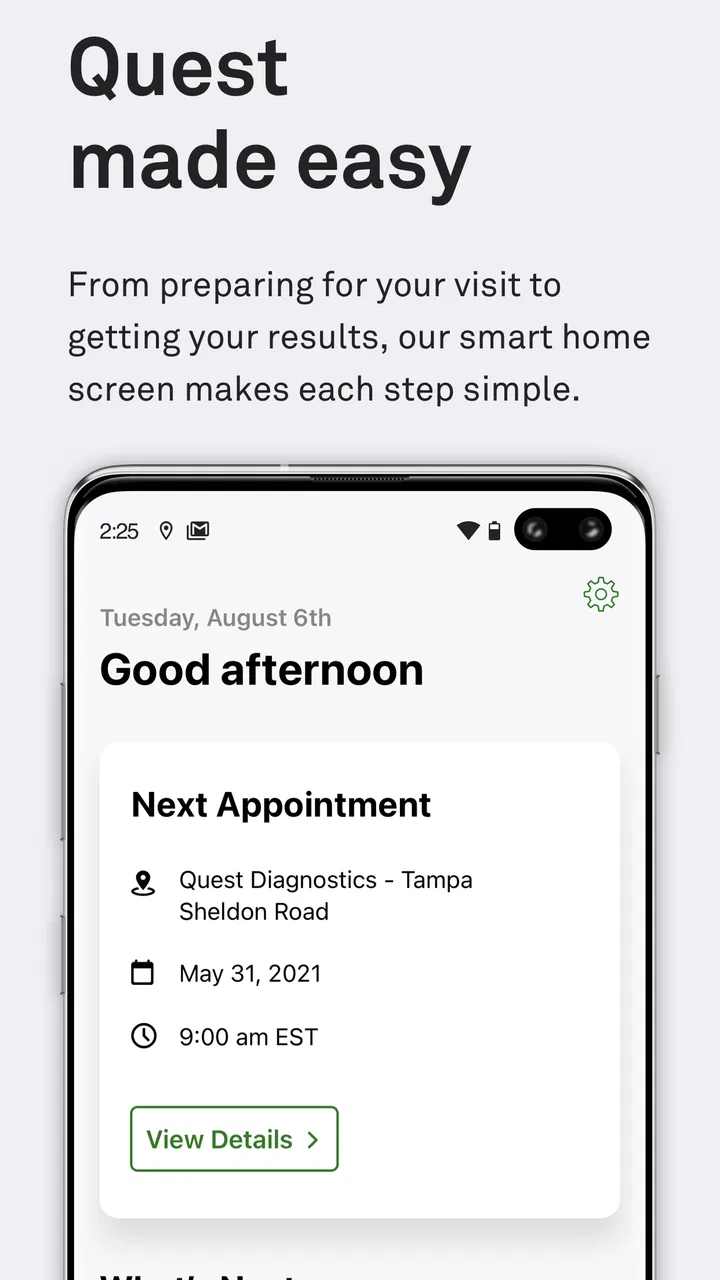
Imagine a realistic evening after a medical appointment. One person in the household receives a notification that laboratory results may be ready, opens the app, and checks the account connected to their own testing history. They can review the information without asking someone else to open a laptop or search for a message. If a clinician needs to discuss the result, the app does not replace that conversation; it simply makes the patient’s information easier to reach before or during it.
You May Also Like

 Blood Strike: 2.5 Anniversary
Blood Strike’s Loadouts Turn Every Drop Into a Tactical Gamble
A close look at Blood Strike’s custom loadouts: how fast access to signature weapons reshapes its battle royale rhythm, rewards preparation, and narrows the gap between fights.

 Pandora - Music & Podcasts
Pandora’s Music Is Easy to Start, but Harder to Recover
Pandora’s strength is its low-effort path from a seed to a station. Its weak spot is how much confidence it asks you to place in connection, setup, and quiet recovery.

 8 Ball Pool
 Is Built on Rivalries, Rematches, and Routine
A close look at the rivalries, rematches, shared routines, and unanswered safety questions that turn a quick pool match into a persistent mobile community.

 Samsung Music
’s Quiet Strength Is Playing What You Already Own
Its reach comes less from spectacle than from dependable access to a personal library. That simplicity is both the app’s strongest retention engine and its ceiling.

 AccuWeather: Weather Radar
AccuWeather Review: A Quick, Clear Forecast for Everyday Decisions
For everyday plans, the best forecast is the one you can understand quickly. AccuWeather makes rain timing, radar, and local conditions easy to act on, with a few trade-offs.

 Hill Climb Racing
Why Hill Climb Racing Still Turns Crashes Into One More Run
A tiny car, a bumpy hill and one more upgrade: Hill Climb Racing keeps resurfacing because its simple chaos makes every near-miss feel personal.
More From Our News Desk



That distinction is important. A lab result is not automatically an explanation, diagnosis, or treatment plan. I would use MyQuest to locate and review information, then rely on the healthcare professional who ordered the test for interpretation. For a household, this creates a useful division of labor: the app helps with access and organization, while medical decisions remain with the patient and care team.
The app is available at no cost, carries an Everyone age rating, and has been available since March 27, 2014. Its long presence and broad adoption suggest that it is designed for ordinary patient access rather than a narrow specialist audience. It currently stands at version 5.6, and it requires Android 6.0 or later. Those details make it approachable for many users, although anyone with an older phone should check compatibility before planning around it.
On the Android side, the app has passed the one-million-install mark and holds an average rating of 4.4 from roughly forty-four thousand ratings. I see those figures as useful context rather than proof that every patient will have a smooth experience. Medical apps are especially dependent on account matching, test availability, and the connection between the laboratory and the ordering provider, so personal circumstances still matter more than popularity.
Separate accounts are more important than a shared phone
A shared device can be convenient, but it changes the privacy conversation. If two adults use the same phone, I would avoid assuming that one person’s signed-in session should remain available for the other. Lab results are personal health information, and casually handing over an unlocked phone can expose more than intended. The safer habit is to let each patient access their own account and sign out or otherwise secure the session when finished, using the device’s normal privacy protections.
This is also why I would not create a single household routine around one person’s login. A partner helping with appointments may need to sit beside the patient, but that does not make the partner the account owner. Keeping boundaries clear prevents an everyday convenience from turning into confusion about whose results are being viewed. The app can support access to a patient’s information; it should not be mistaken for a general family record.
For parents, the age rating should not be confused with a promise of child-oriented account management. The Everyone label describes the app’s general content suitability, not the medical or legal arrangements a family may need when helping a minor. I would involve the appropriate parent, guardian, or healthcare provider when access concerns involve a child, rather than assuming that the app itself handles those relationships.
Setup requires patience and careful identity checking
The first useful step is to install the app on a supported device and prepare the information associated with the patient’s Quest Diagnostics experience. I would take a moment to enter details carefully instead of rushing through setup, particularly in a household where names, phone numbers, or email addresses may be similar. A small account mistake can create unnecessary frustration later, especially when someone is checking for a time-sensitive result.
I also recommend deciding in advance whose phone will be used and who will be responsible for checking the account. In a shared-device situation, that simple decision avoids a common problem: one person assumes another person is monitoring the result, while both are actually waiting. If the patient is comfortable using the app independently, I prefer giving them direct control rather than making a relative the permanent go-between.
There is a practical trade-off here. A family member may be more confident with smartphones and can help with the initial setup, but technical assistance should not erase the patient’s ownership of the account. I would sit with the patient, let them confirm the account details, and show them where the relevant information appears. That approach is slower at first, yet it makes future use less dependent on one technically experienced person.
Another useful habit is to check the app after the laboratory visit rather than repeatedly refreshing it throughout the day. Results become useful when they are available, but repeated checking can create anxiety without adding information. I would use a sensible routine, then contact the appropriate medical office if the expected information is not appearing or if the patient has concerns about the test itself.
Using results for coordination without losing context
MyQuest is most helpful when it becomes one part of a broader coordination routine. After reviewing a result, I might write down questions for the next appointment, note which family member needs to be informed, and keep the conversation focused on what the clinician has actually said. The app gives the household a common point of reference, but it does not decide what a number means or whether follow-up is urgent.
This is where the app compares favorably with older alternatives. Searching through email can scatter information across messages, while waiting for a paper document can make it harder to review the result when away from home. Calling a clinic may still be the right choice for interpretation or an urgent concern, but it is not always the most efficient way to find out whether information is available. MyQuest occupies the practical middle ground: quicker than relying only on paper, but not a replacement for professional communication.
I would be careful when discussing results in a group chat or forwarding screenshots. Even when the intention is helpful, a screenshot can remain on another person’s device long after the immediate problem is solved. For household coordination, it is often better to have the patient open the information directly and explain what they want shared. That preserves control and reduces the chance that a partial result will be misunderstood by relatives.
A less obvious benefit is that direct access can reduce the number of people acting on incomplete information. If one family member reads a brief message and paraphrases it to everyone else, small details can be lost. Letting the patient review the result themselves, then ask targeted questions, makes the conversation more accurate. I would still avoid drawing conclusions from isolated values, because the clinical meaning depends on the test, the patient, and the provider’s assessment.
The app is also useful for planning conversations around appointments. Before speaking with a clinician, I can review what is visible, identify unfamiliar terms, and prepare a short list of questions instead of trying to remember everything from the appointment room. That turns the smartphone into a preparation tool rather than merely a place to receive information.
Trust, age, and the limits of delegated help
Household support works best when it is based on permission and clarity. An older adult may appreciate help navigating the app, but I would not assume that a relative should automatically read every result. The patient should decide what assistance is welcome. In practice, that might mean the relative handles the phone settings while the patient reads the medical information, or it might mean they review the screen together.
For teenagers and younger users, the same principle applies with additional sensitivity. The app is rated for Everyone, but medical privacy is not the same as entertainment privacy. Families should discuss who is allowed to see results and how questions will be handled. The application itself should not be presented as a substitute for the family’s responsibilities, the patient’s rights, or guidance from the healthcare team.
I would also avoid leaving the account open simply because the device stays inside the home. Household privacy is not guaranteed by physical proximity. Visitors, roommates, children, or repair technicians may use the same device. A quick glance at a lab result can reveal sensitive information, so a shared phone deserves the same care as a shared computer.
For a patient who is not comfortable with smartphone apps, MyQuest may not be the best primary method. A web browser, direct assistance from the medical office, or another established communication route may feel more manageable. The app is valuable when it reduces friction; if learning the interface creates more stress than it removes, the usual alternative can be better.
Where the experience can feel limited
The strongest limitation is that convenience does not guarantee immediate clarity. Seeing a result on a screen can prompt more questions than it answers, especially when a value looks unfamiliar. I would resist the temptation to search for a quick explanation and make a decision based only on an isolated entry. The app improves access, but access can also increase worry when context is missing.
There is also a difference between having an app installed and having a complete household workflow. Each patient still needs the correct account boundary, a supported device, and a clear plan for discussing the information. Families expecting one place to manage every person’s records may find the individual-patient approach less convenient. In that situation, a clinic’s established coordination process may be more suitable than trying to turn one smartphone into a family medical center.
Version 5.6 is a positive sign that the application continues to receive updates, but I would still keep expectations realistic. Updates do not eliminate the need to troubleshoot account access, device compatibility, or result availability. If the app is not showing what a patient expects, I would first check that the correct account is being used and that the concern is about access rather than medical interpretation. When the issue involves care itself, contacting the ordering provider remains the more appropriate route.
Another trade-off concerns convenience versus concentration. A phone makes results available in a familiar place, but it also brings notifications and distractions. When reviewing health information, I prefer to sit somewhere private, read carefully, and avoid making hurried decisions while multitasking. That small change in routine makes the app more useful and reduces the chance of misreading something important.
Who should use it and who should choose another route
I think MyQuest is a good fit for Quest Diagnostics patients who want a straightforward way to check their laboratory information from a smartphone. It is especially practical for people who dislike paperwork, travel between home and appointments, or help a relative with technology while respecting that person’s account ownership. The free price also removes an obvious barrier for users who want to try it without committing to a subscription.
It is less suitable for someone looking for a complete personal health-record system that combines every provider, appointment, medication, and family member in one shared space. I would also hesitate to recommend making it the sole communication method for a patient who needs detailed explanation, urgent guidance, or regular support from a care team. In those cases, a direct conversation with the provider is more important than the convenience of an app.
For households, the best use is modest and deliberate: let each patient access their own information, offer help only with permission, use the result to prepare questions, and keep medical interpretation with the clinician. That workflow avoids both extremes—leaving a patient alone with confusing information and giving one relative uncontrolled access to everyone’s records.
My household verdict
After looking at MyQuest as a household tool rather than just a result viewer, I see a useful, focused medical app. Its real strength is giving patients a more direct way to reach their laboratory information without making the whole family depend on one person’s inbox or memory. That benefit is practical, particularly when a patient wants to prepare for a conversation with a healthcare professional.
My recommendation comes with clear boundaries. I would install it for the individual patient, keep accounts separate on shared devices, and treat every displayed result as information to discuss rather than a conclusion to act on alone. I would also choose another route when the patient needs urgent advice, detailed interpretation, or a broader family record system.
Overall, MyQuest earns its place on a smartphone because it addresses a specific everyday problem without pretending to solve every medical one. If you are comfortable managing your own account and want easier access to Quest Diagnostics laboratory information, I think it is worth trying. If your main need is shared family management or personal clinical guidance, use it only as one small part of a more careful care routine.
FAQs for MyQuest for Patients
01What is MyQuest for Patients used for?
MyQuest for Patients is an app designed to help users manage their medical testing and lab results. It provides easy access to test results, appointment scheduling, and health tracking. Users can securely communicate with healthcare providers and manage their health information efficiently, making it a valuable tool for proactive health management.
02Is MyQuest for Patients secure for storing personal health information?
Yes, MyQuest for Patients uses advanced security protocols to protect your personal health information. The app complies with HIPAA regulations, ensuring that your data is encrypted and securely stored. Users can access their information with a secure login, providing peace of mind when managing sensitive health data.
03Can I schedule appointments through MyQuest for Patients?
Absolutely, MyQuest for Patients allows you to schedule lab appointments directly through the app. This feature enables users to find convenient locations and times, reducing the hassle of phone calls and waiting on hold. It's designed to streamline the process and make managing your health more accessible.
04Does MyQuest for Patients provide notifications for new test results?
Yes, the app sends notifications when new test results are available. This ensures that you stay updated on your health status without having to constantly check the app. Notifications are customizable, allowing you to set preferences for how and when you'd like to be alerted about important health updates.
05Can I share my lab results with my doctor through MyQuest for Patients?
MyQuest for Patients makes it easy to share your lab results with your healthcare provider. The app includes features that allow you to securely send your test results directly to your doctor's office. This seamless sharing capability helps facilitate communication and ensures that your healthcare provider is informed about your health status.
Pros
- User-friendly interface for easy navigation.
- Secure messaging with healthcare providers.
- Personalized health tracking features.
- Integration with wearable devices.
- Timely reminders for medication and appointments.
Cons
- Limited features in the free version.
- Requires stable internet connection.
- Occasional lag in data syncing.
- Some features locked behind paywall.
- No offline access to health records.

MyQuest for Patients
Gallery